Ahnentafel (F2)
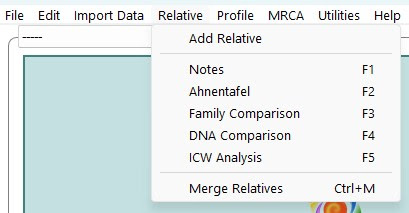
The Ahnentafel page is to store, import, or update the direct line family tree for a specific match, presuming you have access to one, via an appropriately formatted file, or via manual entry.
It is accessed via the Relative Menu, or by the F2 function key.
Using Pedigree Thief to Import
Using One2Tree to import (Windows Only)
Importing a Manually created Ahnentafel
Importing an Ahnentafel from a Gedmatch Tree
From Becky: My recommendation has always been to use Roots Magic or Legacy to create gedcoms, or to use the ahnentafel loads or input manually. The gedcom logic is complicated and I can't support all the different formats.
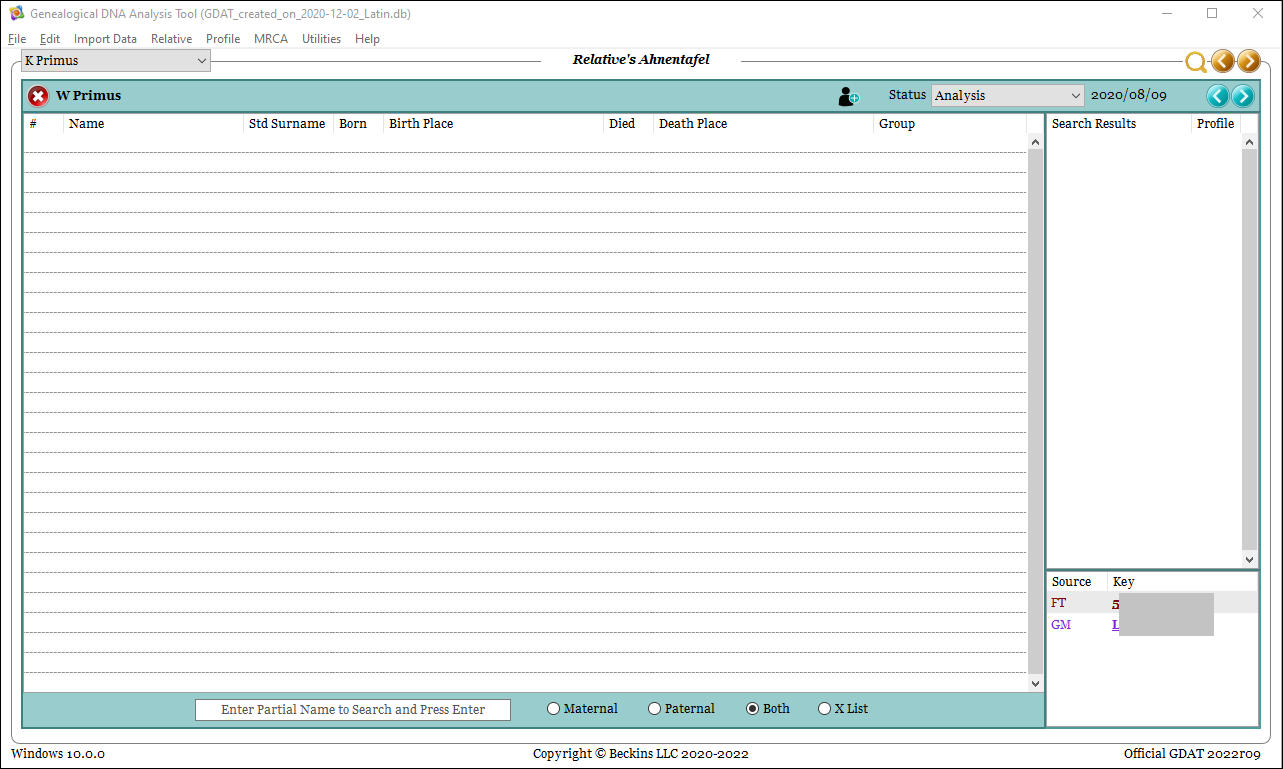
A populated Ahnentafel, will display data in bold type when it is identical to information in the profile's family tree.
- Standard Surname
- Birth or Death Place (Region)
- Group Name
This is to assist with identifying potential connection points.
Keep in mind that if these are not identical between the match and the profile, they will not display in bold.
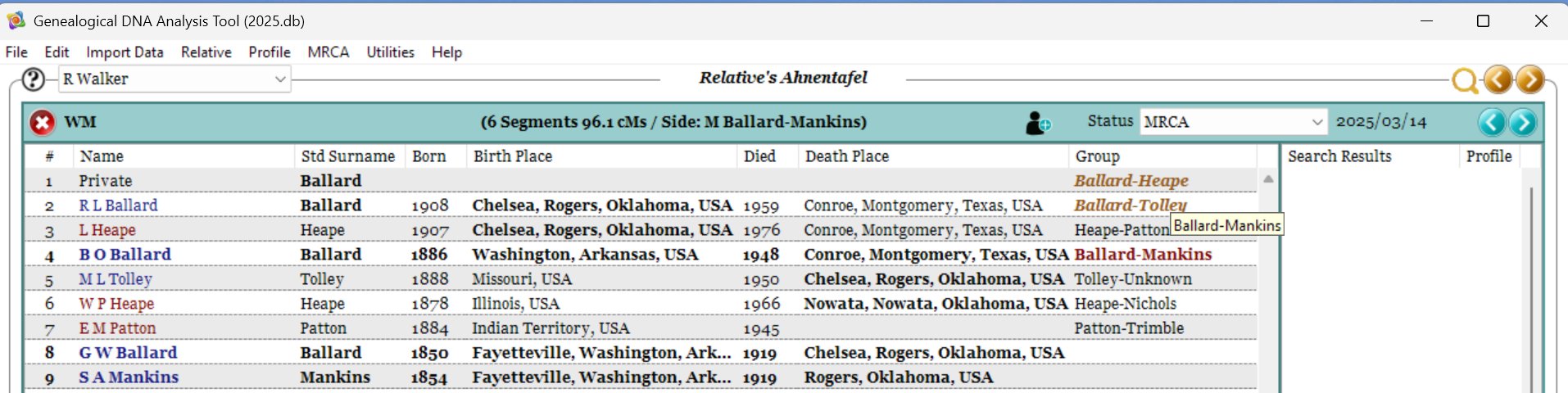
If Associated Groups have been set up via the Preferences Page (F10) then the Group Name will be color coded to indiate a known group associated with one or more MRCAs. Hovering over the associated group will indicate the MRCA group(s) it matches.
Right Click Menu
When no Ahnentafel has been previously loaded, or a blank area of the screen is clicked, the right click (Control-Click on Mac) menu gives us three menu areas
- Import
- Add Relatives
- Update
- Export Displayed Data (which will become useful once the Ahnentafel has been populated).
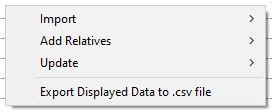
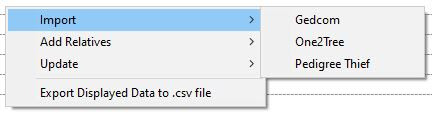
The Import sub-menu contains:
- Gedcom
- One2Tree (Windows only)
- Pedigree Thief
See further down this page for details on Ahnentafel loading.
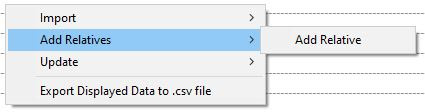
The Add Relative sub-menu area contains just the one option of Add Relative
This starts a new Ahnentafel for manual entry of data and fills person 1 with the relative.
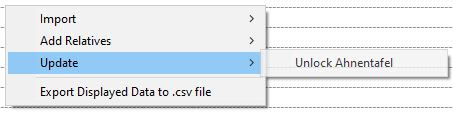
The Update menu area contains: Lock / Unlock Ahnentafel.
This locks or unlocks the Ahnentafel. When locked, it prevents the Ahnentafel from being overwritten by subsequent imports.
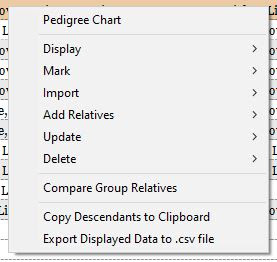
When the Ahnentafel tab has been populated, the right click (Control-Click on Mac) menu gives us a number of options.
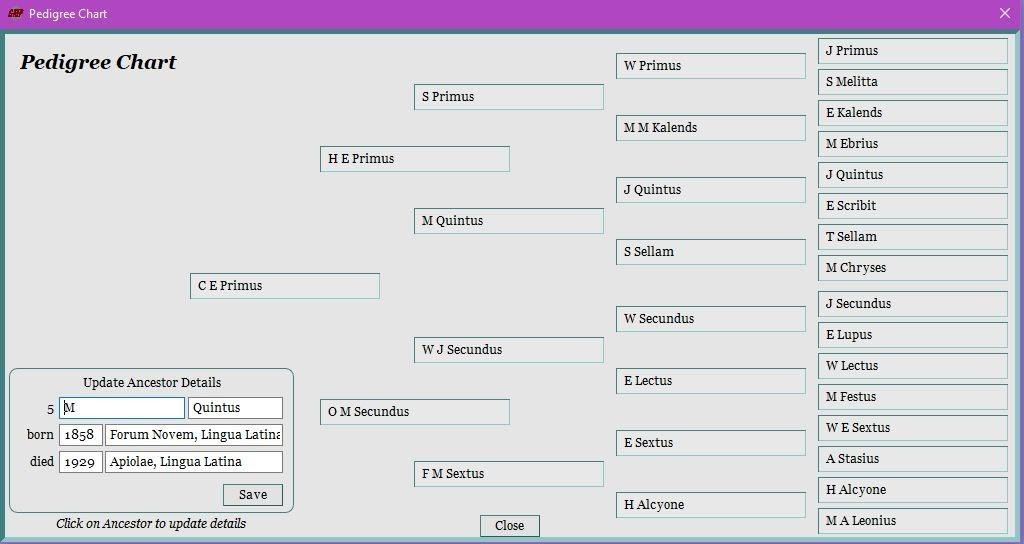
Pedigree Chart: Displays the pedigree chart for the person right clicked on. Clicking on an ancestor's position allows for entry in the Update Ancestor Details which is then transferred to the Ahnentafel.
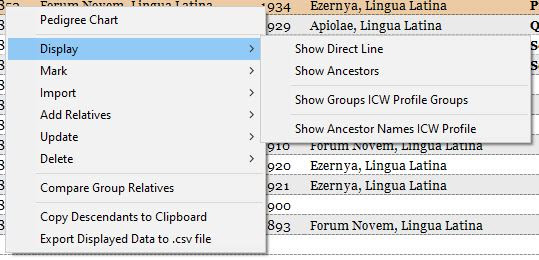
The Display sub-menu contains:
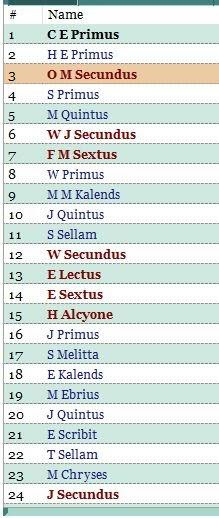
- Show Direct Line: Will temporarily “bold” the names of the direct line of the person selected in both directions (ancestors and descendants), leaving others in the default non-bold font.
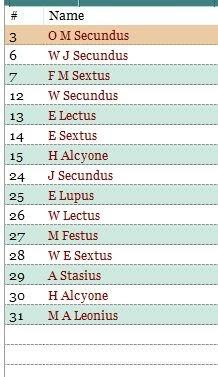
- Show Ancestors: filters the display to just the ancestors of the person selected
- Show Groups ICW Profile Groups: filters the match's Ahnentafel to show the common groups present between the match and the profile.
- Show Ancestor Names ICW Profile: filters the match’s Ahnentafel to show the common ancestors present between the match and the profile. This will include ancestors with no group name.
Direct Line has been bolded
Showing Ancestors of only selected person
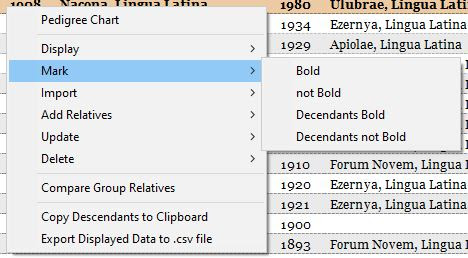
The Mark sub-menu gives four options that should be self explanatory in nature.
Marking a name or descendant line in bold may be used for any reason. Some like to use it to identify the MRCA couple and the path between them and the match. This is personal preference.
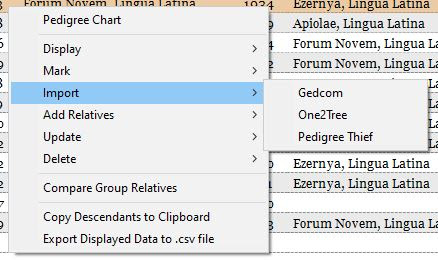
The Import sub-menu contains:
- Gedcom
- One2Tree (Windows Only)
- Pedigree Thief
While the Gedcom loads all ancestors of the Relative, the other two options allow for an Ahnentafel to be loaded for the selected person - this does not have to be the starting person.
Use with caution: This will replace any ancestors previously loaded for the selected person, so it is best to do it for the most relevant person in the linking line - if their Ahnentafel only goes to their great grandmother and you know the next 4 generations to the MRCA, then import an Ahnentafel for the great grandmother.
See further down this page for details on Ahnentafel loading.
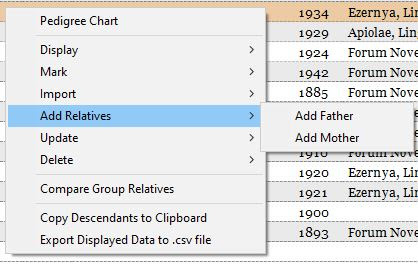
The Add Relatives sub-menu contains:
- Add Father: Adds a father for the selected. If the father already exists, a message appears “Ahnentafel already present for sequence #2. Delete first or make changes to existing item” (where #2 is the Ahnentafel number for the father of the selected person)
- Add Mother: Adds a mother for the selected. If the mother already exists, a message appears “Ahnentafel already present for sequence #3. Delete first or make changes to existing item” (where #3 is the Ahnentafel number for the mother of the selected person)
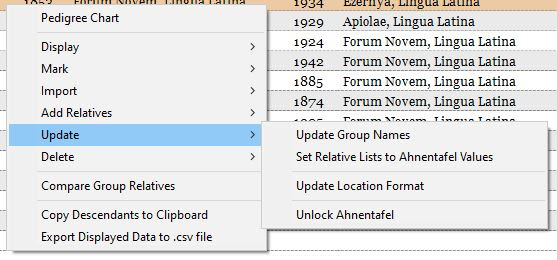
The Update sub-menu contains:
- Update Group Names: updates the group column with the surnames of the parents of each person (where parent entries are present).
How a name with no surname is treated, depends on how this option is set in Preferences (F10) - Set Relative Lists to Ahnentafel Values: replaces the relative’s surnames, locations, and ancestor list located on the Family Comparisons tab, with the data from the Ahnentafel.
- Update Location Format: May assist in standardising Location formats for Region Clusters. This does not add any commas, correct any spellings, and does not assume a country location if only part of a location is present. It will however, remove any extra spaces and commas that are surplus to program needs.
Eg. A location entered as "Town, State" will remain untouched, as will "Town State Country", but "Place, , Town, State, Country" will be corrected to the desired format of "Place, Town, State, Country" - Lock / Unlock Ahnentafel: menu item differs according to the lock status of the current Ahnentafel.
If locked, prevents imports from overwriting. If unlocked, allows the Ahnentafel to be overwritten. A message is displayed informing you of the meaning of the change.
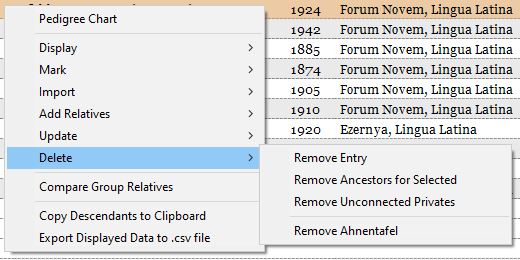
The Delete sub-menu contains:
- Remove Entry: deletes the selected entry and all that entries ancestors.
- Remove Ancestors for Selected: deleted the ancestors for the selected, but leaves that person present.
- Remove Unconnected Privates: deletes any ancestor with the name of "Private" who does not have any parents listed.
- Remove Ahnentafel: deletes the entire Ahnentafel.
Compare Group Relatives: Opens up the selected group in the Relatives Comparison view
Copy Descendants to Clipboard: does what it says
Export Displayed Data to .csv file: does what it says
Using Pedigree Thief to Import
Pedigree Thief is a Google Chrome Browser extension that converts a pedigree from some sites to an Ahnentafel. Directions are included with the extension.
It is possible to import an Ahnentafel through the Google Chrome browser extension “Pedigree Thief”. Go to the Chrome Web Store and search for “Pedigree Thief”. Install this extension.
When installed, set-up your preferences by right clicking the Pedigree Thief icon and selecting 'options'. On the screen that opens set the default for the level of the number of generations to be read, if surnames are to be capitalized or not, and if dates are to be shown in full or by year only.
Note: If using this on Gedmatch, log in via the "Classic" entry. This will not work via the "new" log in.
Using One2Tree to import (Windows Only)
One2Tree is a Google Chrome Browser extension for Windows that converts a pedigree from some sites to an Ahnentafel, as well as other formats.
- Ensure the tree you are viewing is in Pedigree View.
- Click on the Browser extension button to create their listing.
- Use Control+A to select the whole page, and Control+C to copy the whole page.
- Within GDAT, select the Copy/Paste > One2Tree
- Click Okay. You will see the Paste window appear, this should be pre-filled for you.
- Click Import.
Note: This option is not available to Mac users.
Importing a Manually created Ahnentafel
It is possible to import a manually created bulk Ahnentafel listing.
This can be done in a number of ways, and how you choose to create one is up to you, as long as the resulting format to be pasted into the import box is the format needed.
The needed formatting for a pasted Ahnentafel is
#. Name born: Date Birth Place died: Date Death Place
and all pasted Ahnentafels must start with person 1 and each ancestor (where known) should be placed in numerical order from there in accordance with the Ahnentafel numbering system.
Acceptably formatted examples include the following:
1. Jane Smith born: 1950 Sydney New South Wales Australia died:
2. John Smith born: 1920 Melbourne, Victoria, Australia died: 2000
3. Judy Jones born: 1930 Brisbane died: 2010 Sydney
4. Jack Smith born: Australia died: 1970 Victoria, Australia
6. Joe Jones born: died: 1940 Brisbane, Queensland, Australia
7. Janet Johns born: Melbourne died: Melbourne, 1960
It is possible to skip numbers in the creation of an Ahnentafel list, as long as each person is in the correctly numbered position in the list, the resulting display will be correct.
Using the Import > Pedigree Thief option, you can type this information directly into the Paste window, or you can create this elsewhere and copy and paste it in.
Importing an Ahnentafel from a Gedmatch Tree
Creating a GDAT Ahnentafel from a tree in Gedmatch (or a link to WikiTree) is done through an application called “Pedigree To Gedcom.exe”. This Windows application is located in the downloads section at the very bottom of the “Help” page of Pedigree Thief Chrome extension as well as a pdf help file for the utility. (Right click the Pedigree Thief icon and select “Help”.) Install this application.
- In Gedmatch. Select “GEDCOM + DNA matches”.
- Enter a Gedmatch Kit Number and click “Search”.
- Locate the match of interest and click on their GEDCOM ID.
- Click on “Pedigree”.
- Select all and copy to clipboard (Ctrl A / Ctrl C).
- In the Pedigree To GEDCOM utility, click “Paste Pedigree”.
- Click “Copy Ahnentafel” (First, you may wish to 'Edit Individuals' to correct entries that the utility has mis-read.)
- In GDAT, right click on the blank Ahnentafel page of the match and select “Copy/Paste Pedigree Thief”.
- Click “Paste” and then “Import”.
- Click “OK”.