Profile Views
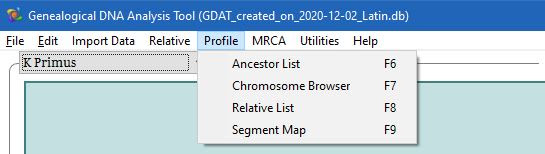
The menu options in here are all available by use of F keys, enabling quicker access between different views of GDAT.
F6: Ancestors - the direct line ancestors of the profile person.
F7: Chromosome browser - chromosome browser display.
F8: Relative List - all matches for the profile listed in one easy to view place.
F9: Segment Map - visual representation of the profile person's mapped DNA.