Source Settings
The "Source Settings" area is used for a couple of different things.
In here, we can add or remove custom sources, as well as change the text display colour of any of our sources.
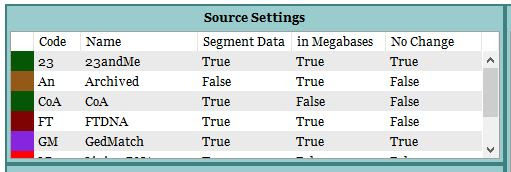
The different fields of the Source Settings relate to different settings, some are user editable, some are not.
- The coloured block on the left hand side, is the current colour assigned to the adjacent source. This is user editable. (see "Changing the Source Colour" further down page)
- Code: the two or three digit code given to the source.
- Name: The Name of each source.
- Segment Data: Whether the source provides Segment Data or not. True if they do, False if they don't.
- in Megabases: Determines how the source provides the start and end points for segment data. True if they are formatted as 52,000,000; False if they are formatted as 52.2
Note: When importing segment data from non-standard sources or via non-standard import templates, do Not have any commas or period points in Start or End points, or in SNP data. Only cMs value should contain a period point only if relevant to the length of the segment. - No Change: If True, source can not be edited or deleted by the user. If False, the other fields of that source are editable by the user.
Custom sources are set to False by default.
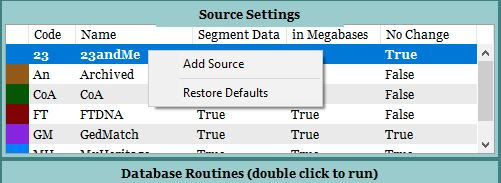
Right clicking (Control-Click on Mac) on a source name with No Change set as "True" will result in the sub-menu containing
- Add Source
- Restore Defaults
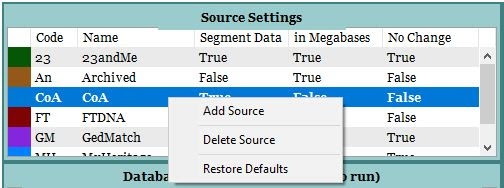
Right clicking (Control-Click on Mac) on a source name with No Change set as "False" will result in the sub-menu containing
- Add Source
- Delete Source
- Restore Defaults
Warning:
"Restore Defaults" will delete any manually added sources and cause any relatives for that source to become detached. You will need to re-add that source with identical Code and Name to re-attach any relatives impacted.
Adding a Custom Source
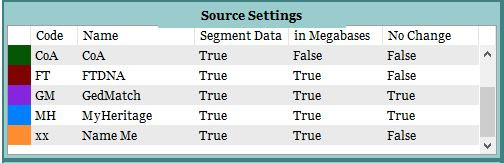
- Right click (Control-Click on Mac) on any existing source and select "Add Source"
- Your new source will be located at the bottom of the list, with the default settings of
Code: xx
Name: Name Me
Segment Data: True
in Megabases: True
No Change: False - Click on each field in turn to change each to your desired setting. It is suggested to keep the code to 2 or 3 characters max.
Note: Do not use the same Code or Name as an existing source.
Changing the Source Colour
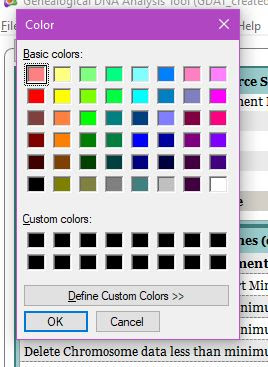
Changing the text colour assigned to a source, is done by clicking on the coloured block associated with the source.
This opens the Colour Picker, enabling you to select any colour other than Black to assign to the chosen source.
Black is a reserved colour and is assigned to merged relatives who have more than one source.
The "Archived" and "COA" match key fields are left over from Genome Mate Pro as a courtesy to those who have converted their database from GMP to GDAT and have data imported from sources that are not supported by GDAT. If you do not have any data in these sources, you may delete them if you wish.