Getting Started
This is my recommended approach on how to do DNA research with the Genealogical DNA Analysis Tool (GDAT). Before you download GDAT, be aware that loading data is only a small part of the effort it will take to get results. The DNA companies have made obtaining the data in mass much more difficult so be aware that much time will be spent in collecting data.
Also, GDAT is not a magic bullet in that you have to do the actual analysis and draw your own conclusions from the data. This can be very time consuming but rewarding.
Videos
GDAT Part I - In this video we cover the initial steps in setting up a GDAT database. Includes Profiles, Family Trees and Surname table.
GDAT Part II - Data Collection, sources and 3rd party tools
GDAT Part III - ICW Analysis using GDAT
GDAT Part IV - Segment Analysis using GDAT
Step 1 - Build a Family Tree
If you are an adoptee, then your tree may be just you for now. Otherwise, use a tool like Legacy Family Tree or Roots Magic to build a tree. It is recommended that your tree go back as far as possible before moving to the next step.
Start with yourself and then add parents and grandparents. Fill in as much information as possible such as birth and death dates along with locations. Most of the time having grandparents’ names and locations will be enough to allow you to fill in your tree farther back. Create a gedcom file and upload your file to one of the genealogy sites.
The advantage to putting your tree on a genealogy site is that they have records online like census, marriage, etc. that will speed up building a tree. People have also posted public trees online that may provide hints to extending your tree but aware that public trees are notoriously error prone. Typically, when there is disagreement on the parents of an ancestor, it is because the paper trail is sparse or nonexistent. This is where DNA analysis can be most useful.
Step 2 - Select a DNA Testing Company
I suggest that to start, you just pick just one DNA Testing Company then add others later, if desired. Each one has advantages and disadvantages so let’s talk a bit about that.
23andMe – One-time purchase and you can elect to get health data. No family tree data is provided but a few subscribers provide a link to an online tree elsewhere. Relative data along with their Relatives shared with the profile (ICWs) is provided. In my opinion, since 23andMe discontinued providing segment data, there is little to recommend it for DNA analysis.
Ancestry – Subscription service provides DNA Relatives and shared matches (ICWs). No segment data is provided but in my opinion, recent changes to identify maternal and paternal matches along with their pro tools as well as tree hints are very useful in finding most recent common ancestors. (Note that Ancestry does not endorse, support and is not in any way associated with GDAT.)
Family Tree DNA – One-time purchase for access to DNA Relatives and their DNA segments. They have the ability to download the DNA Relative and Segment data but it does not contain a unique key. DNAGedcom can download this data in mass with a unique key for loading into GDAT. ICW data is also available.
MyHeritage – One-time purchase for DNA test with free access to Relative, Segment and ICW data. A subscription is required for access to historical records. It is also a good site for building a family tree as historical records are suggested from the pedigree. Pedigree Thief or One2Tree can extract an Ahnentafel for input to GDAT.
Each of the testing companies have advantages but if I was just going to pick the one that works best with GDAT at the moment, I would pick either FTDNA or MyHeritage as both provide segment data. Both also accept a DNA raw data file from other testing companies.
Step 3 - Add a Profile to GDAT
- Identify a unique key for the profile kit. See Profile Keys.
- Download the Genealogical DNA Analysis Tool (GDAT) and follow the directions for installation.
- Set up the Profile in GDAT:
· Click Edit-Profiles
· Right click on Profile List, select Add Profile
· Enter Profile Name
· Enter up to a 5-character short name
· In Source Menu, select the DNA source
· Add the unique key
· Click Save Key
Step 4 - Add a Profile Family Tree
There are several options for adding the profile's family tree. On the menu, select Profile-Ancestor List (F6).
- Input manually by right clicking on the table and adding ancestors one at a time.
- Load a gedcom.
- Use Pedigree Thief or One2Tree to copy a tree from a web page.
See instructions on each of these options on Profile-Ancestor List (F6).
Step 5 - Import Data
There are four ways to collect data depending on who provided the data.
- Add information manually using the menu item Relative-Add New Relative
- Use DNAGedcom and export data files using the DNAGedcom Extract Tool then load resulting files into GDAT using Import Data Templates
- Use the Chrome extension, Pedigree Thief to collect MyHeritage data and load into GDAT using Import Data Templates
- For Windows users or Mac users with a Windows simulator, use the Copy/Paste Web Page function. This function allows for a more focused approach on a particular research area.
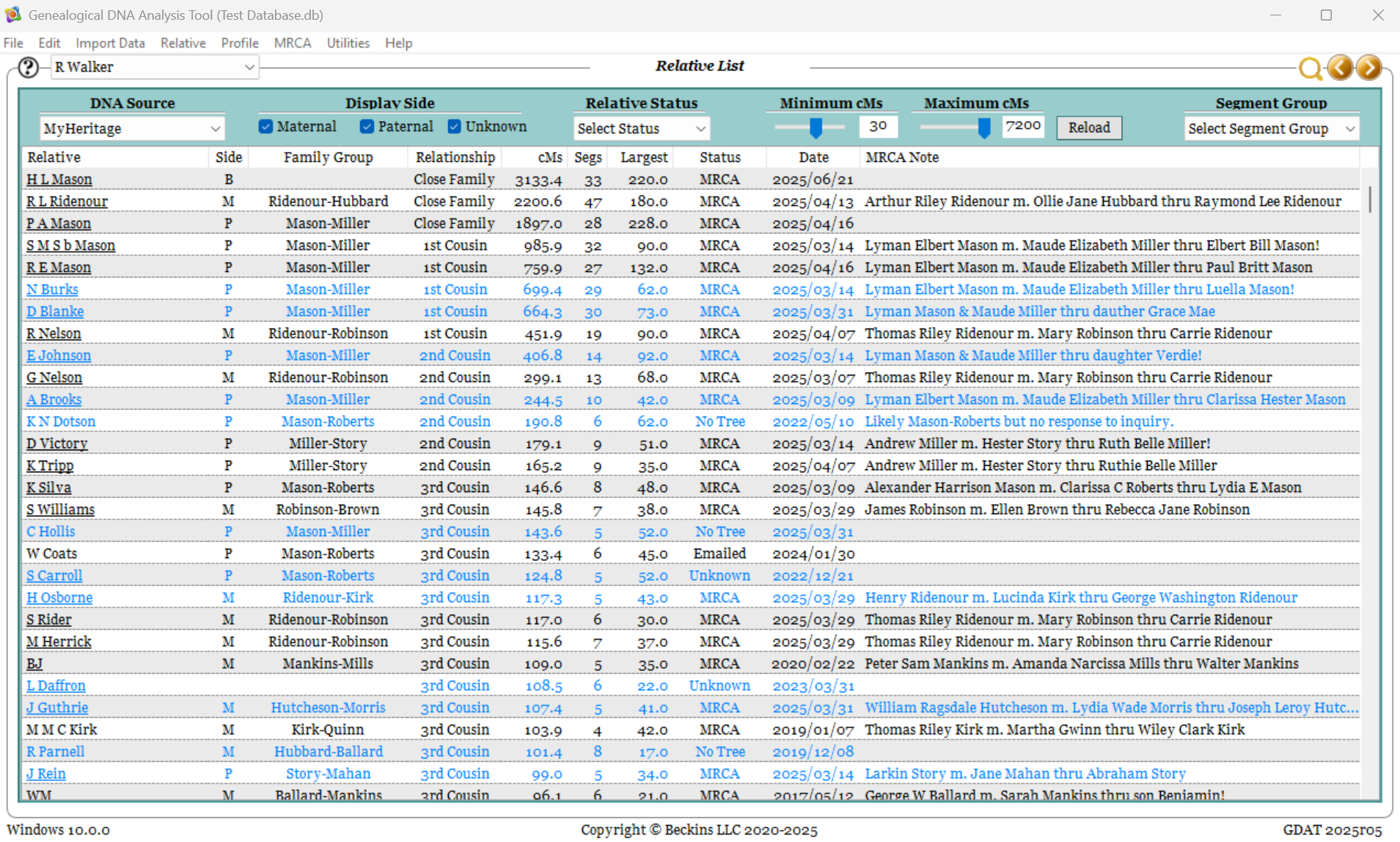
Step 6 - Review the Relative List (F8)
Initially, you want to start at the top of your Relative List and identify a common ancestor with each Relative through 3rd and some closer 4th cousins. Remember that family tree. It will be very useful now. It goes very slowly at first but eventually gains momentum as the MRCAs are identified with more relatives.
Starting at the top of the list:
- Double click on the Relative to open one of their Relative pages
- On the Relative page in the lower right corner, right click on the MH key and select 'Open Website'
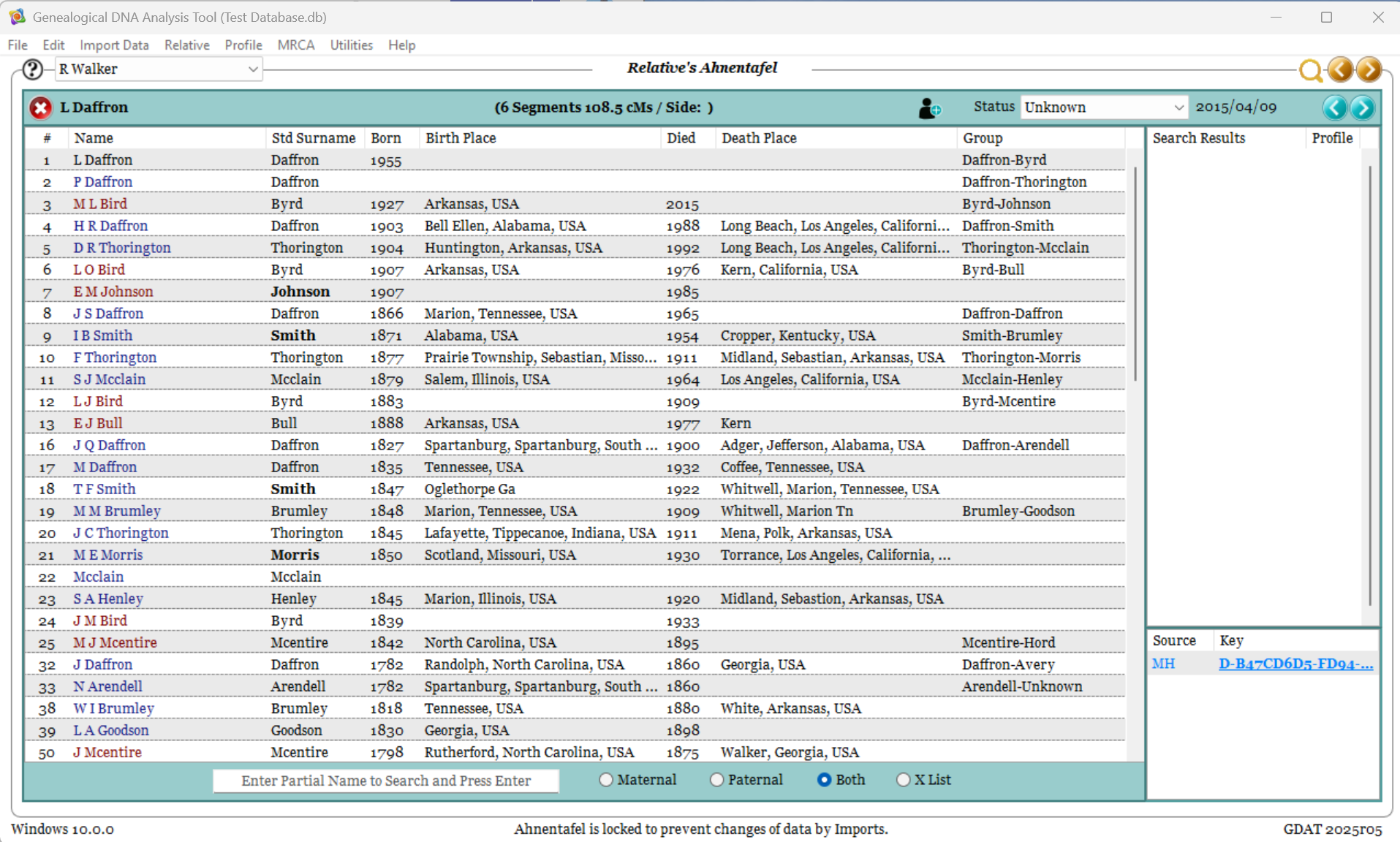
- If there is no tree available for the Relative, change their status to ‘No Tree’ and move on to the next Relative in the Relative List. Otherwise, click on the tree and use the Chrome Extension 'Pedigree Thief' or 'One2Tree' to collect the ahnentafel data. Copy the page (Ctrl-A then Ctrl-C) and on the F2 Page, import the tree use the correct right click option.
- Adoptees return to the Relative List and continue with the next Relative. If you don’t find a MRCA then set the status to ‘No MRCA’ and return to the Relative list (F8). Otherwise, set the status to “MRCA” and on the F1 page, set the family group to that of the MRCA group in the ahnentafel.
- If we can identify a MRCA then go to the DNA Comparison page (F4) and set the MRCAs for each of the Relative’s DNA segments (These should have been loaded in Step 5 if segment data was available.)
- Go back to the Relative List and repeat this process for the next relative.
Step 7 - Segment Analysis
Now we are ready to start analysis. Pick a Relative with whom you have a MRCA on a branch of your family tree that you are researching or pick a Relative with whom you have a long unknown segment (adoptees).
With Segment Data:
- Double click on that Relative in the Relative List to open the Relative page then from the GDAT menu select Relative-DNA Comparison.
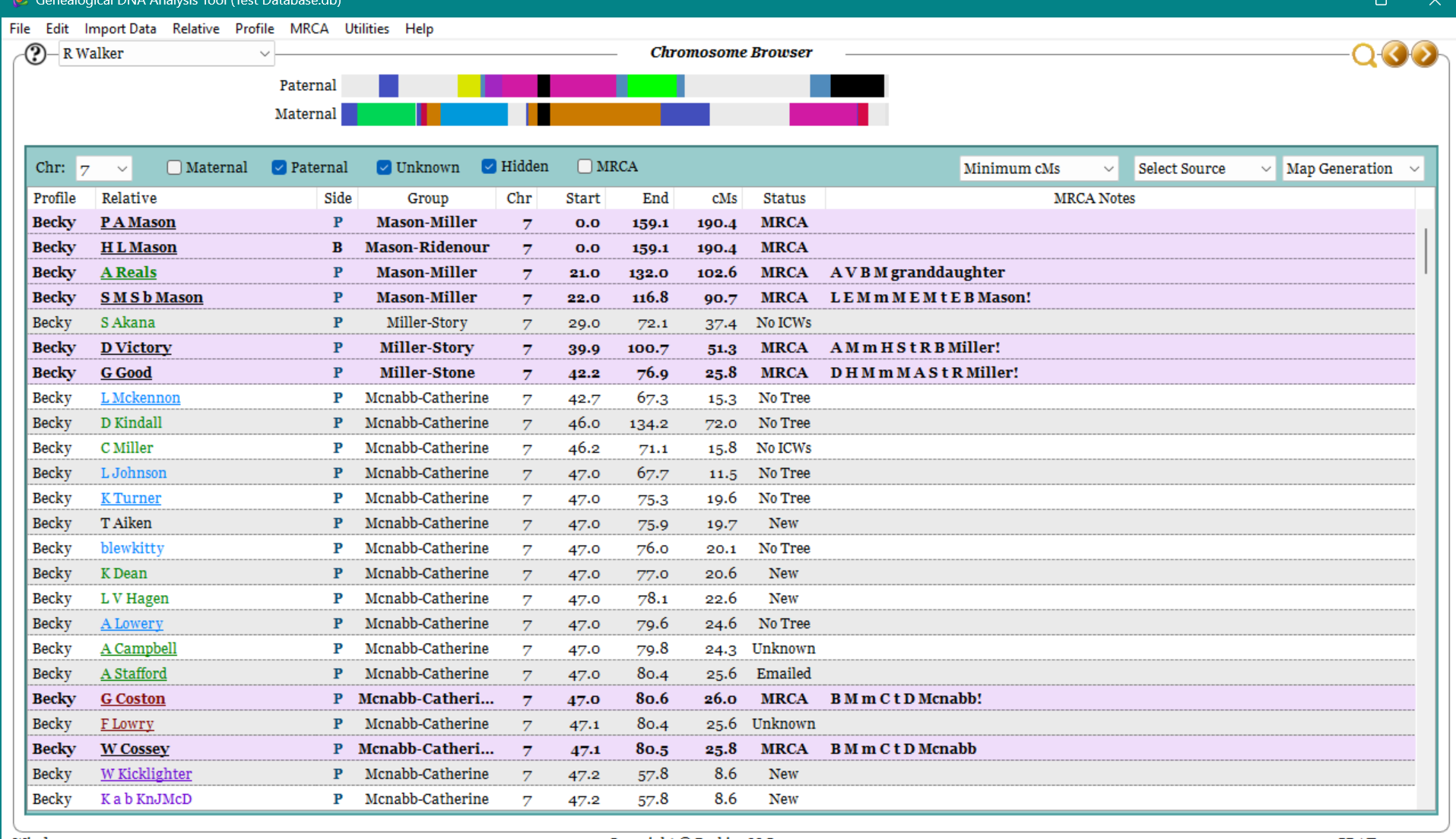
- Pick a DNA segment and double click to open it in the Chromosome Browser.
- For each of the Relatives listed, load their Ahnentafel if not already loaded. See previous section if you do not recall how. Once all Ahnentafels have been loaded, we will move on to run a couple of analysis tools.
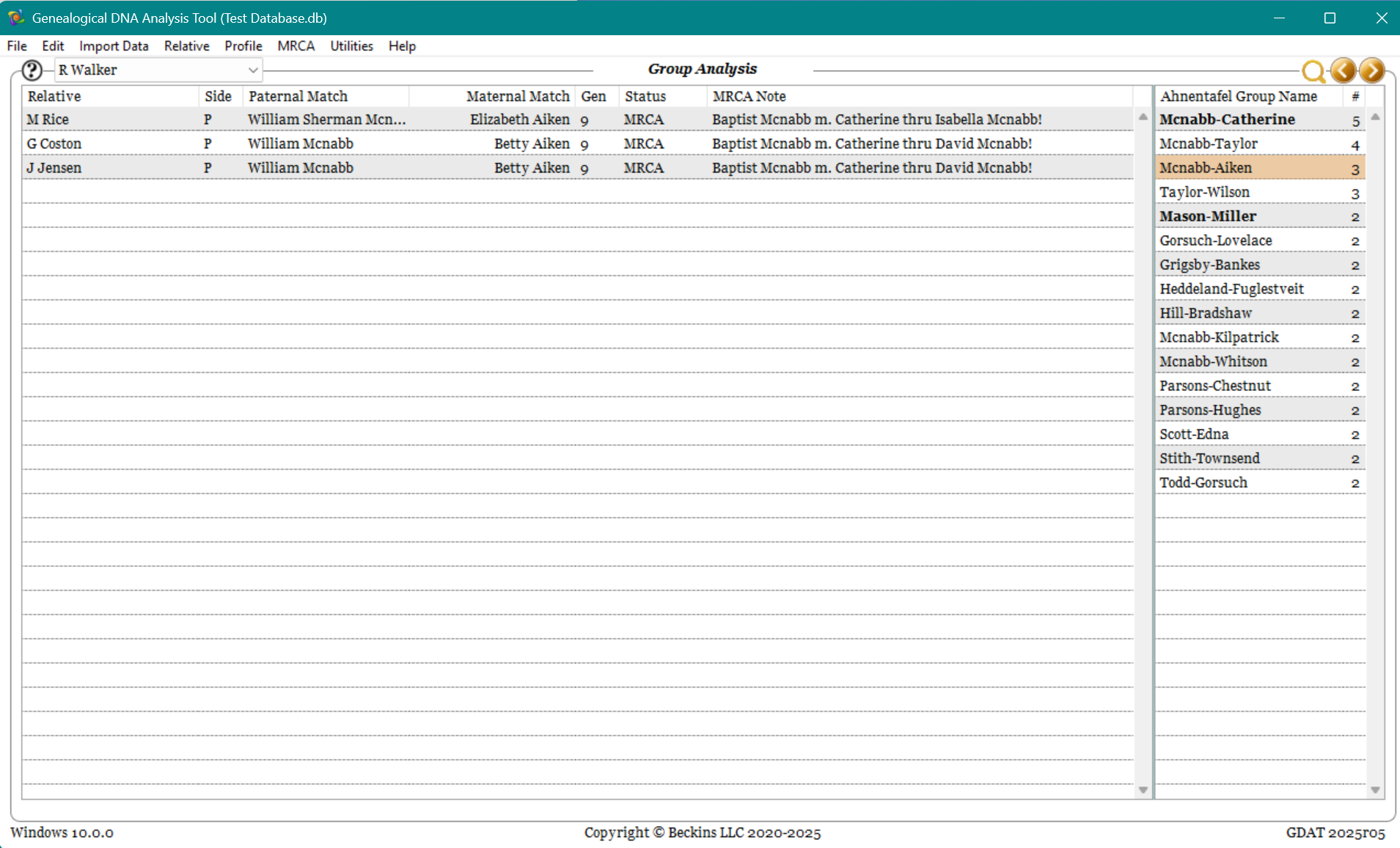
- Right click on the Chromosome Browser table and select 'Analysis Tools-Compare Ahnentafel Groups'. This routine looks for two or more people sharing a common group name.
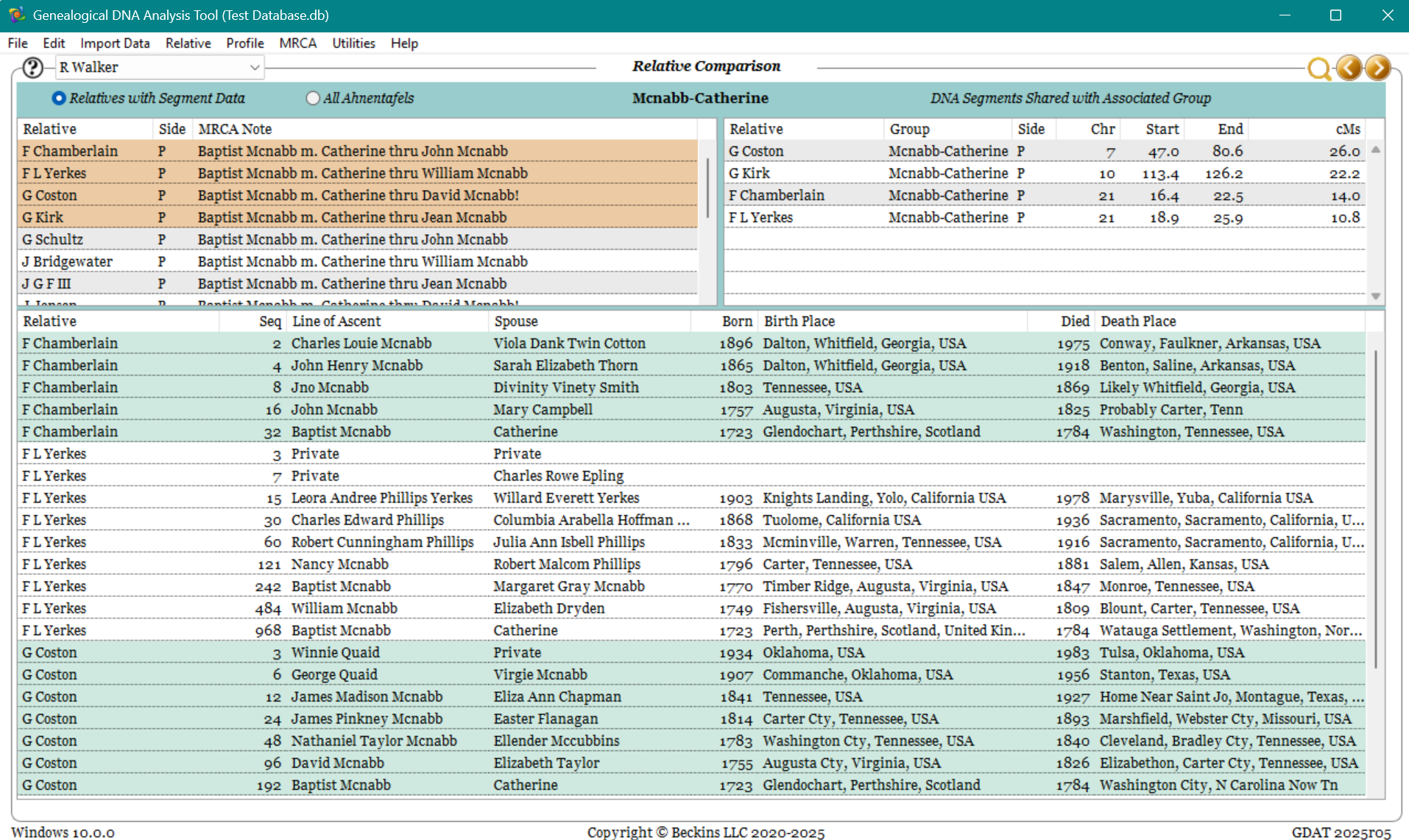
- Right click on a group name to open a Relative comparison page for those Relatives sharing the same group name. This will allow you to compare lines of descent.
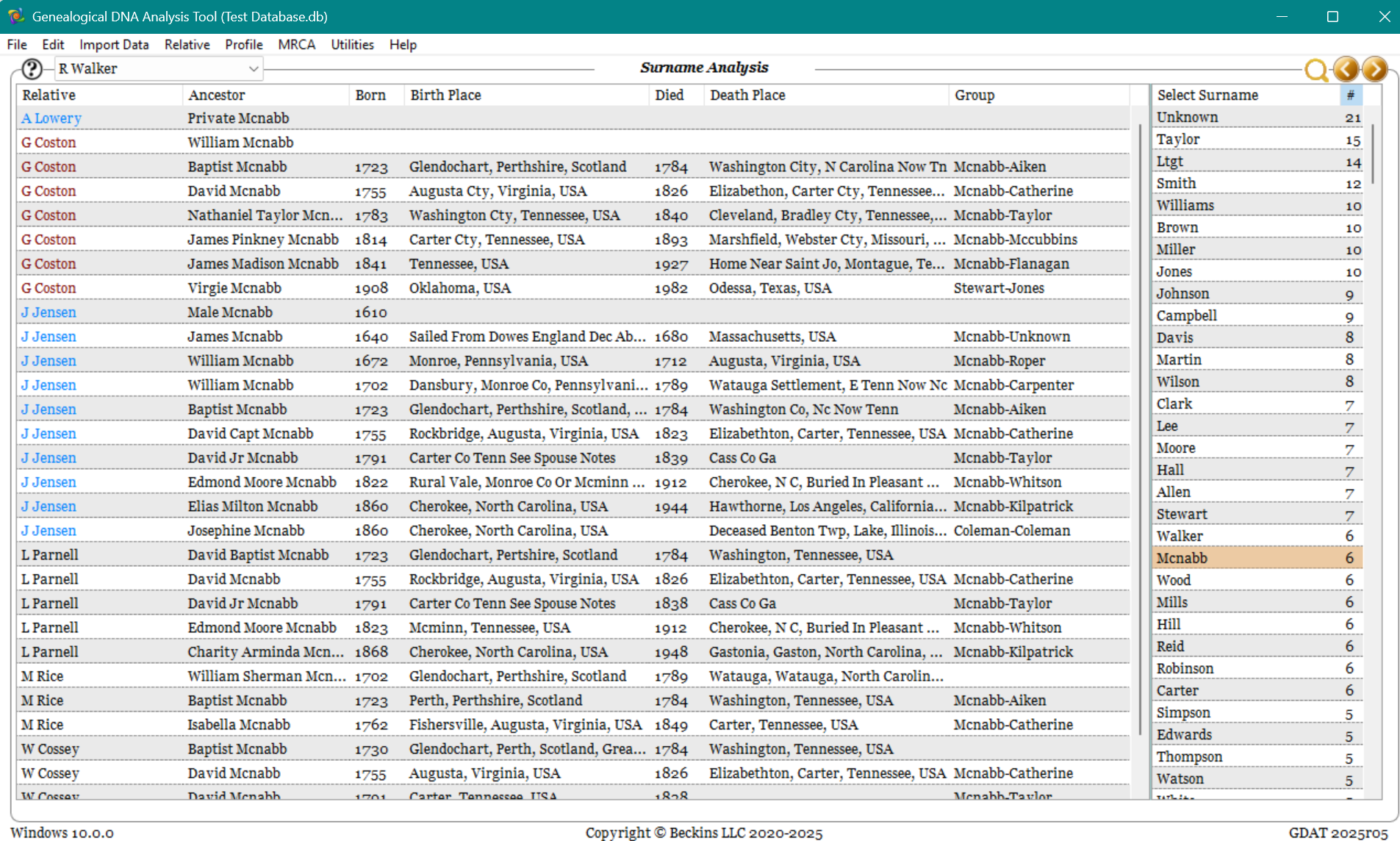
- Back on the Chromosome Browser, right click and select 'Analysis Tools-Compare Ahnentafel Surnames'. This routine looks for common surnames and when a surname is select, it displays the ahnentafel data for that name. (When I find commonality, I often research the Relative’s tree using public trees to see if their tree can be extended back a few generations looking for a common ancestor.)
What I learned from this comparison is that somewhere along my Miller-Story family branch that I am related to the McNabb-Aiken family. This was new information for me and I searched historical records on how to tie the family into my tree.
Many times, these routines will not yield results but when it does, it is an amazing feeling after the hours and hours devoted to loading and analyzing data.
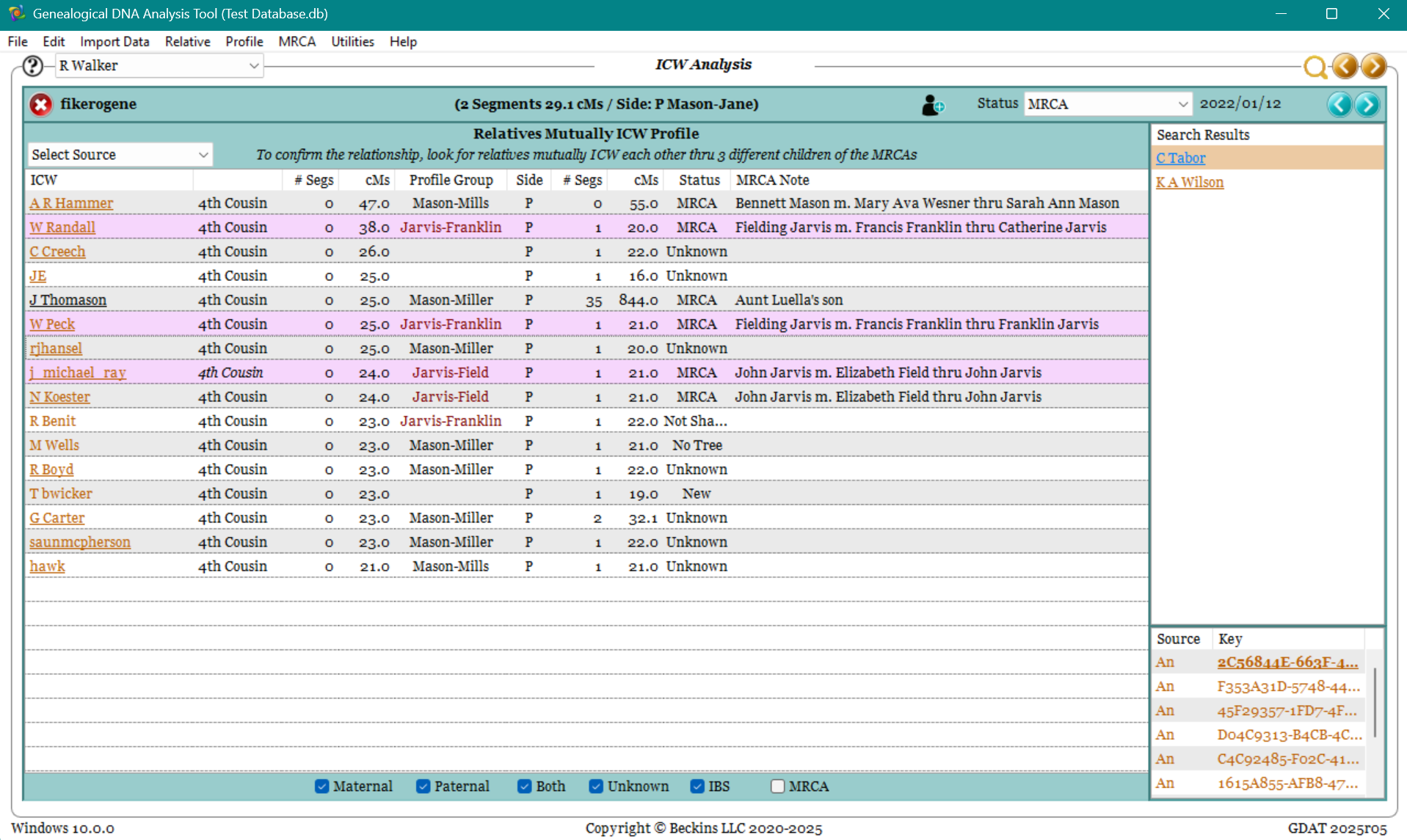
Step 8 - ICW Analysis
Sometimes segment data is not available for a Relative but most of the time, the relatives shared by the Profile person and the selected Relative (ICWs) is available. ICW analysis is less reliable than Segment Analysis. However by carefully reviewing what Relatives are mutually in common with each other or who are all related to each other, it is possible to find connections.
The ICW Analysis page provides the means to do this analysis.
- For each ICW relative on the page, review and/or load their ahnentafel.
- The right click options for Group Analysis and Surname Analysis functions mentioned in Step 7 are also available for this page. (In fact, those pages drew my attention to the surname Jarvis as a possibility for an unknown maiden surname.)
Next is to seek confirmation by using the right click option 'Display Relative Mutually ICW'.
The goal is to find 3 or more Relatives that are mutually in common with each other and share a common ancestor through 3 different children.
- Right click on a suspected Relative and select 'Display Relative Mutually ICW'. This will highlight that Relative in purple and reduce the list to just those who are in common with the Profile person, Relative and selected relative from the list. Analyze the results.
- Repeat with another Relative on the list and again until.
In the example on the right, all three purple highlighted relatives have DNA in common with the Profile person, the displayed Relative and the other Relatives listed in the table. Moreover, each of these is related through different children. This page tells me that the maiden name I am seeking is highly probable to be Jarvis.